
Information copied between systems
Applications arrive through online forms, payments live in spreadsheets, and class lists, attendance and results are kept somewhere else.
Hours of admin every week, with room for error.
 Edthosby Sozcode
Training management system (TMS)
Edthos is a TMS and learner portal in one. It runs your registrations, payment plans, classes, attendance and certificates in one place: less admin for your team, and a smoother journey for every learner.
Sound familiar?
Applications arrive through online forms, payments live in spreadsheets, and class lists, attendance and results are kept somewhere else.
Hours of admin every week, with room for error.
Learners take modules at their own pace over months. It is hard to see who has passed what, and what is left.
Learners slip through the cracks before they finish.
Every learner is on a different schedule, and GST, discounts, grants and SkillsFuture Credit are calculated manually.
Unclear cash flow, and mistakes that reach learners.
Schedules, venues and materials are scattered across chats and emails, and forms are only in English.
The same questions, again and again.
How it works
Every step happens inside the Edthos training management system, so nothing is copied between forms, spreadsheets and chat groups.
01Registration
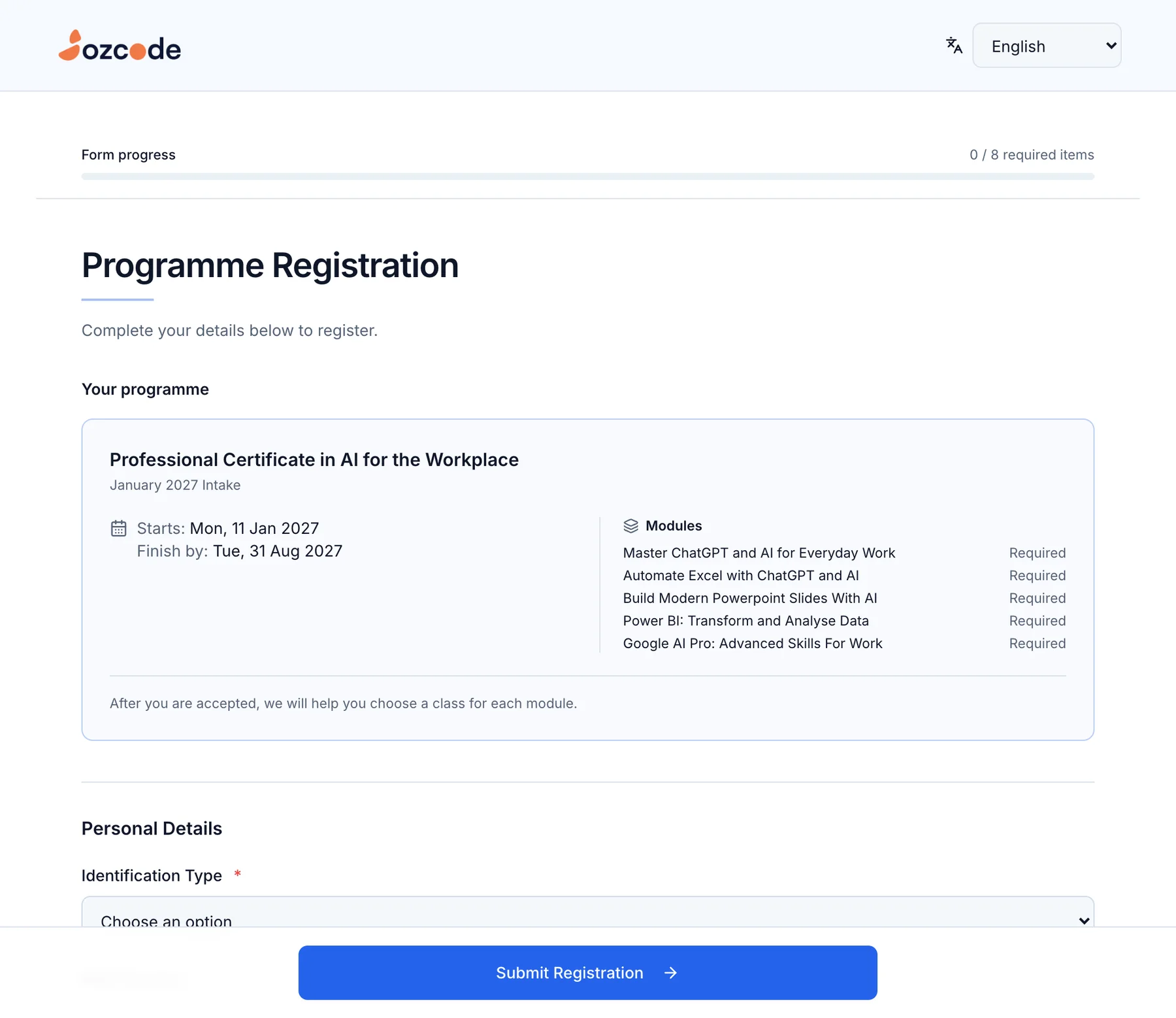
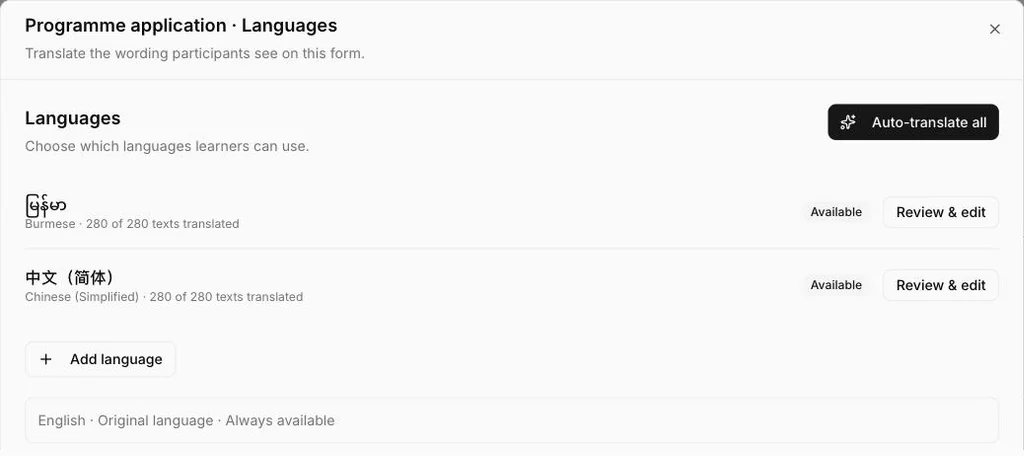
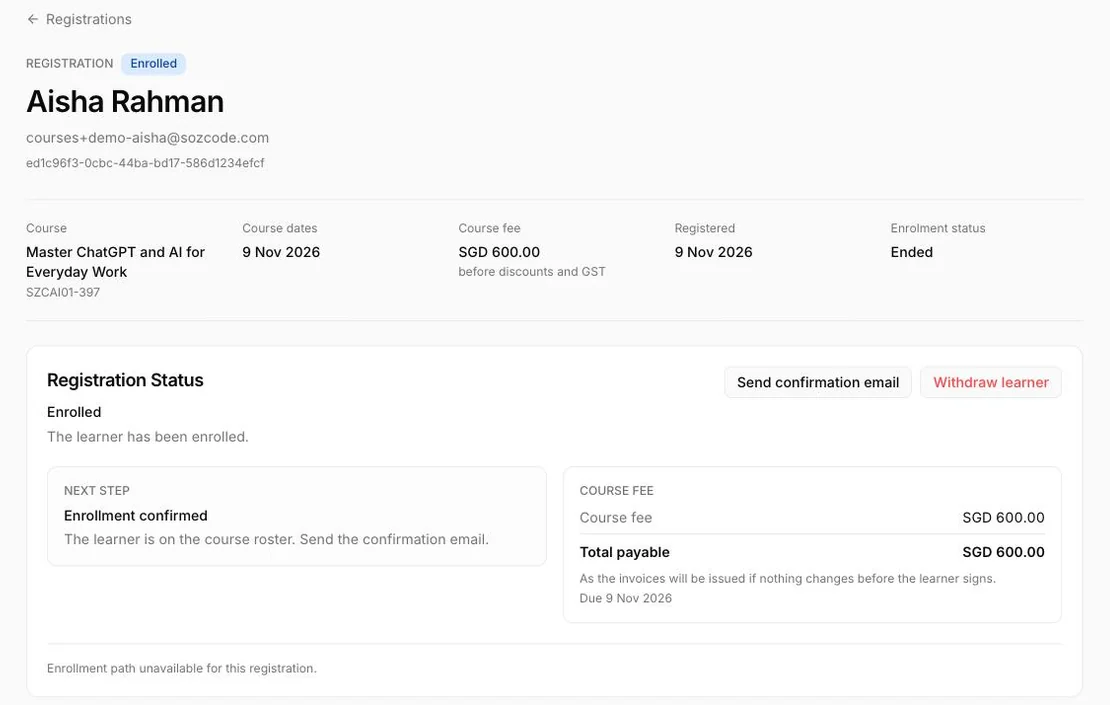
Publish every open course and programme intake on one page. Learners choose a language, answer your questions and see the modules, dates and fees before they apply.
02Payment plans & invoicing
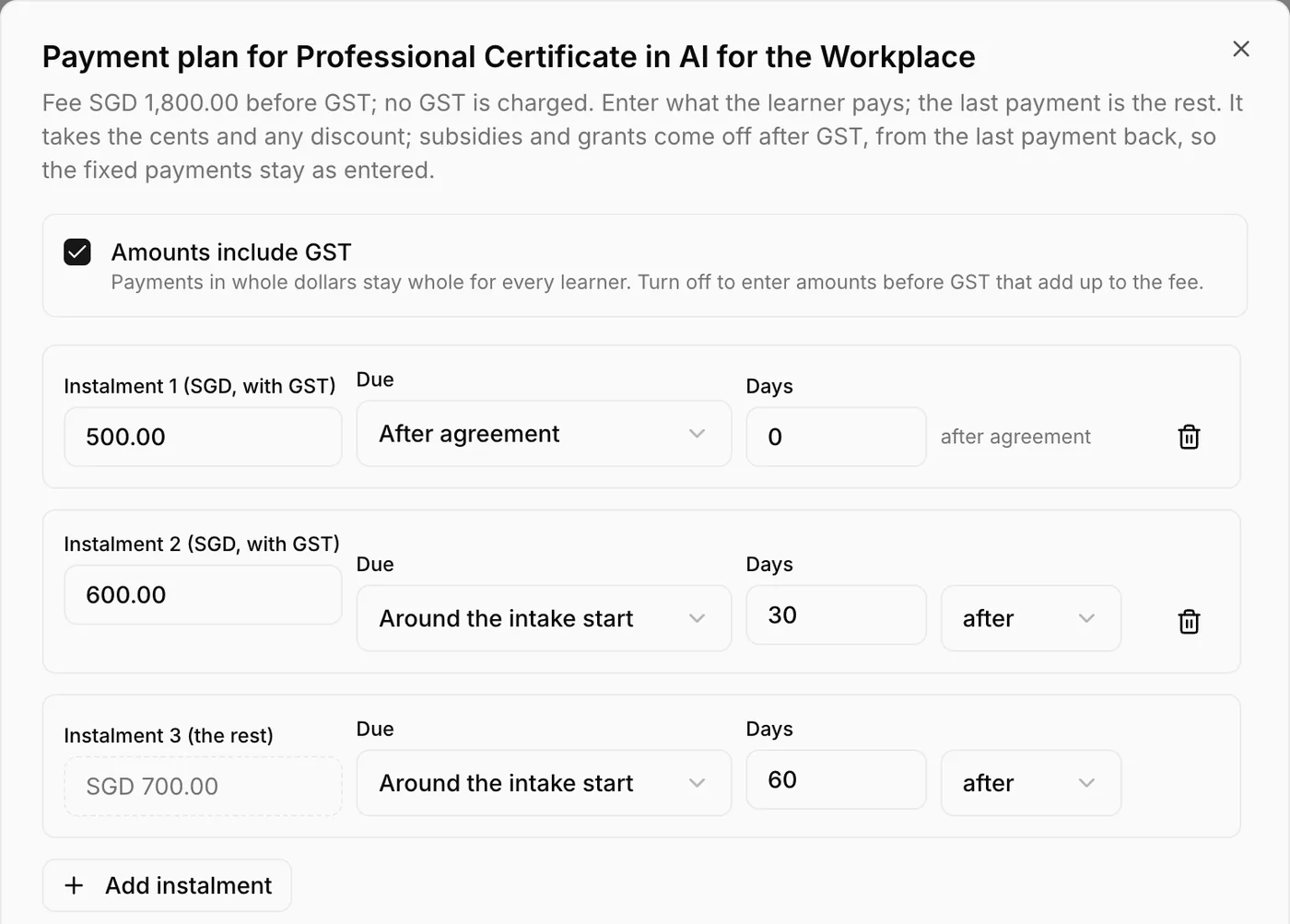
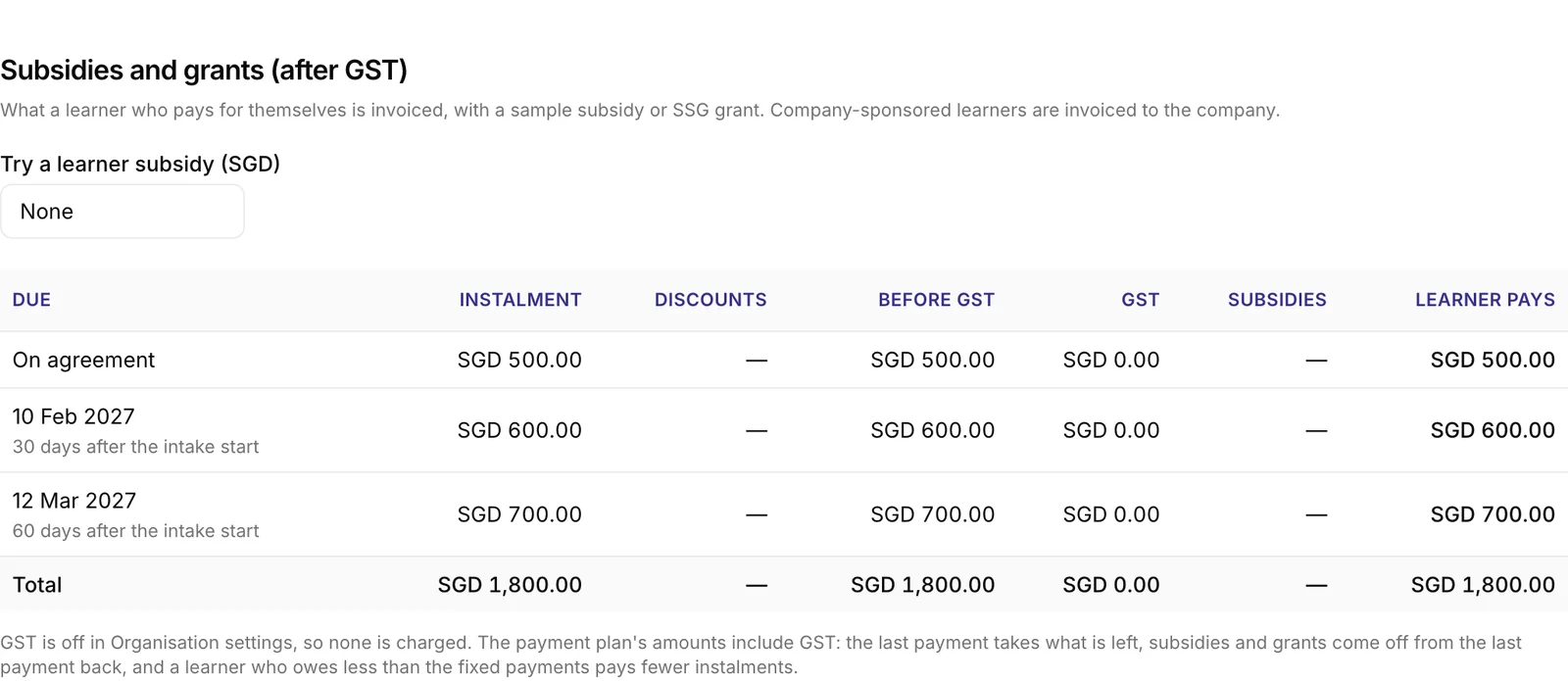
Set the instalments once for a course or programme. Edthos creates each learner’s invoices, applies GST, discounts, grants and SkillsFuture Credit, and shows what is paid, outstanding and overdue.
03Programme management
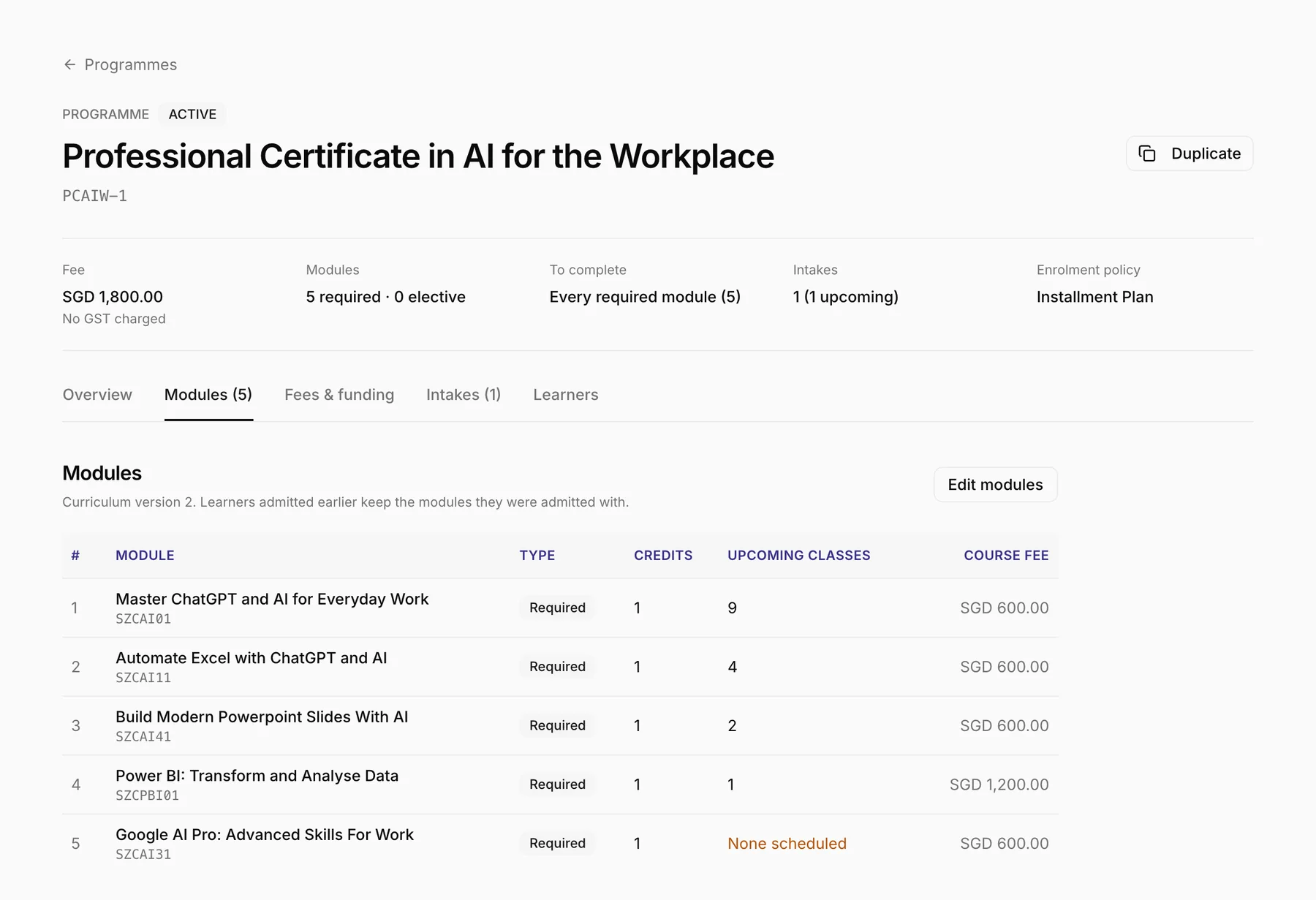
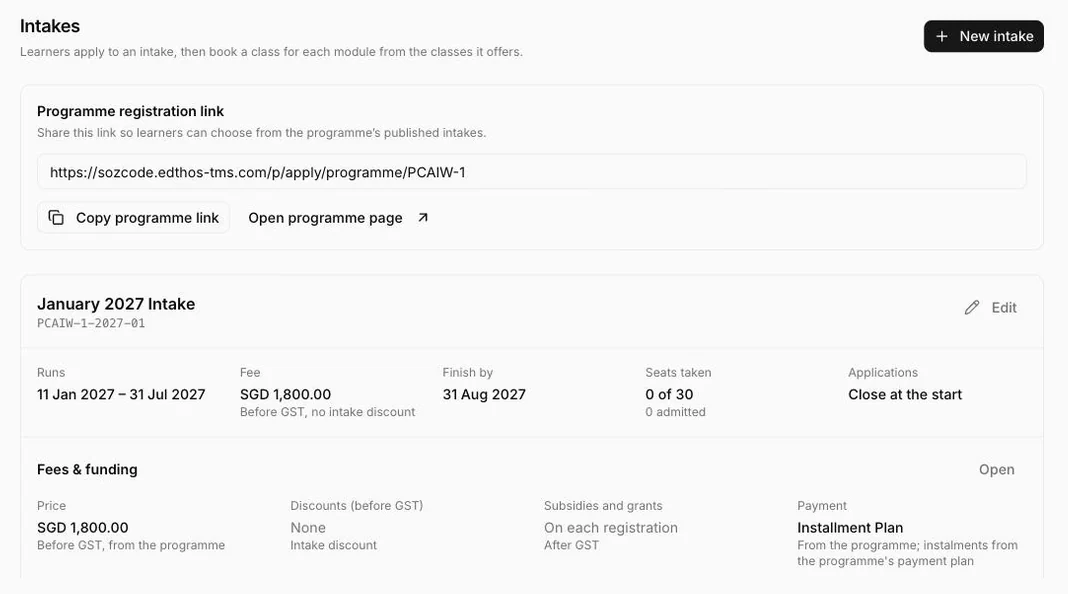
Group modules into one certificate, open intakes with their own dates and seats, and book each learner into a class for every module.
04Learner portal & emails
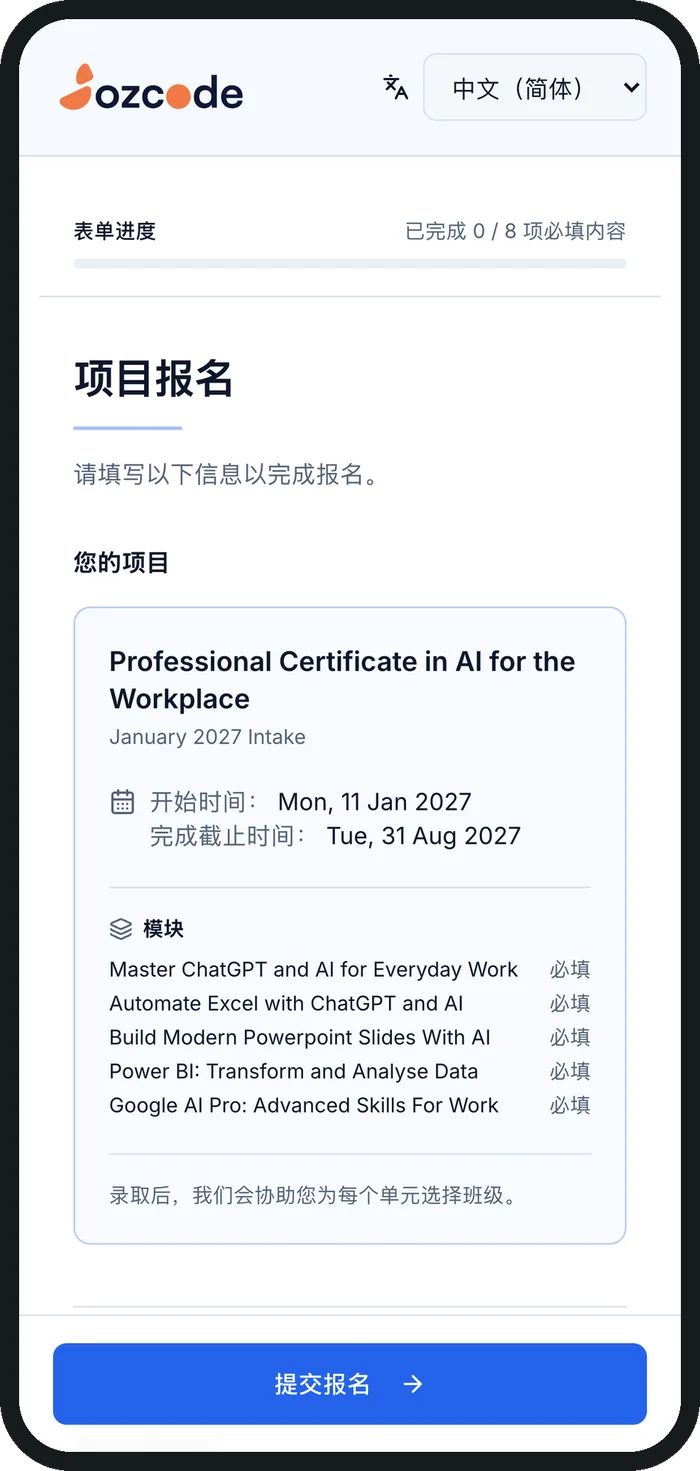
Works on any phone, in English or Chinese.
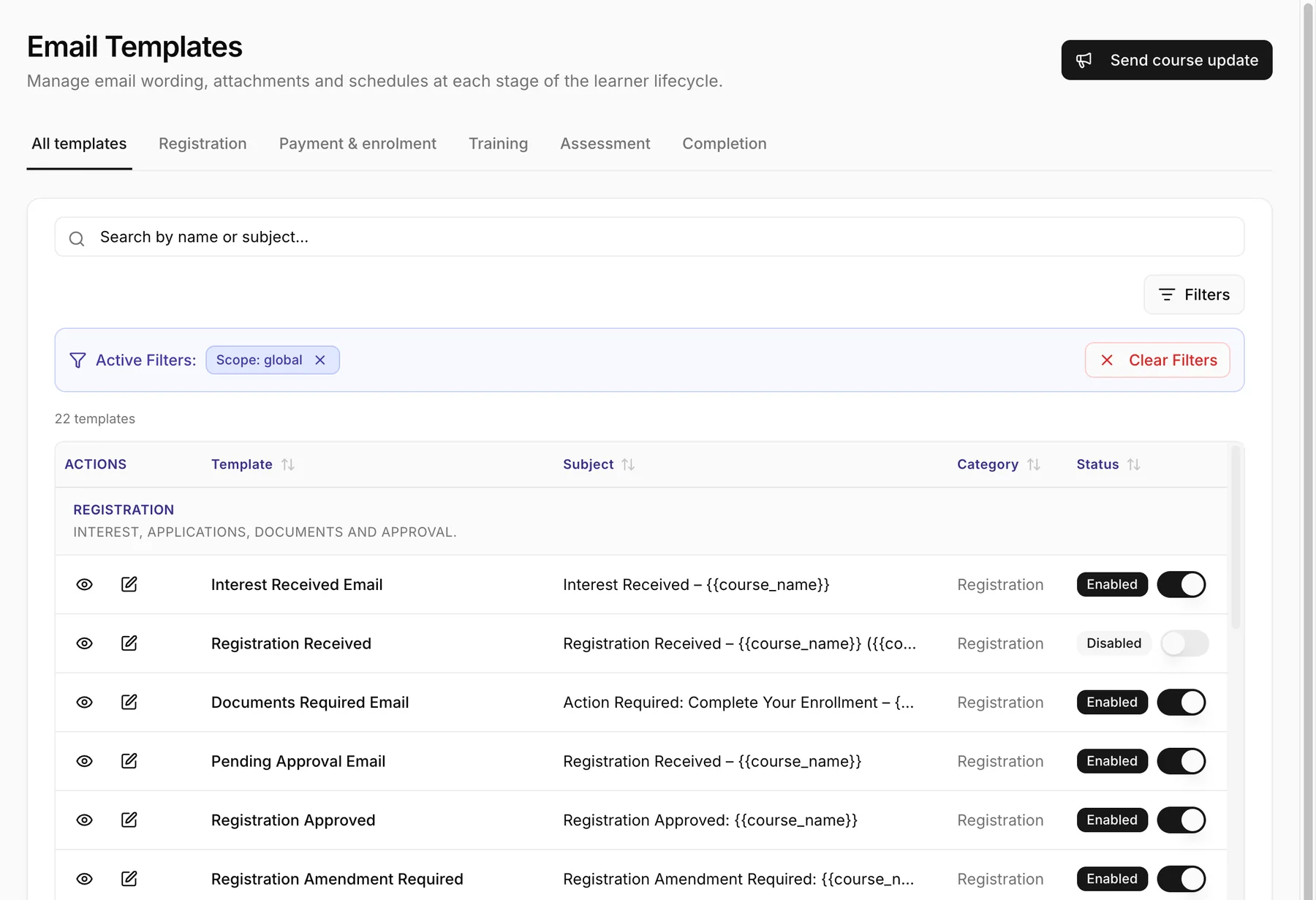
Ready-made, and yours to edit.
05Attendance & assessment
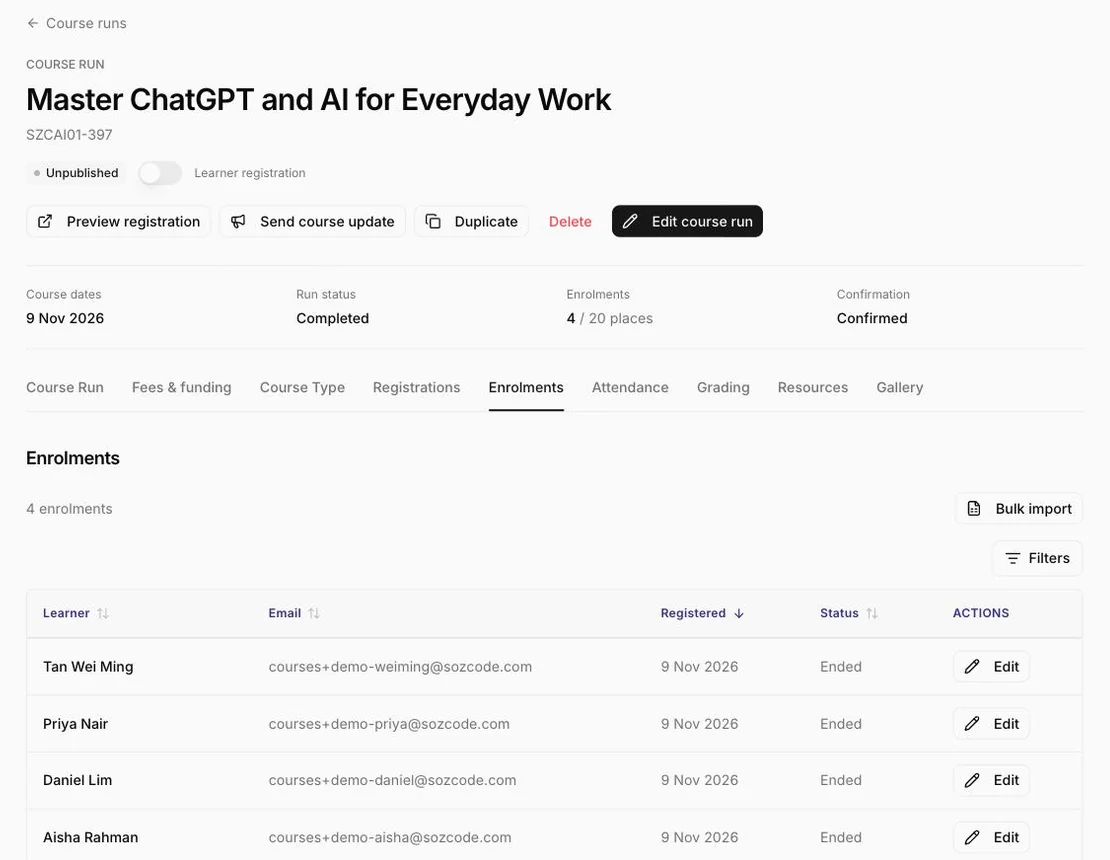
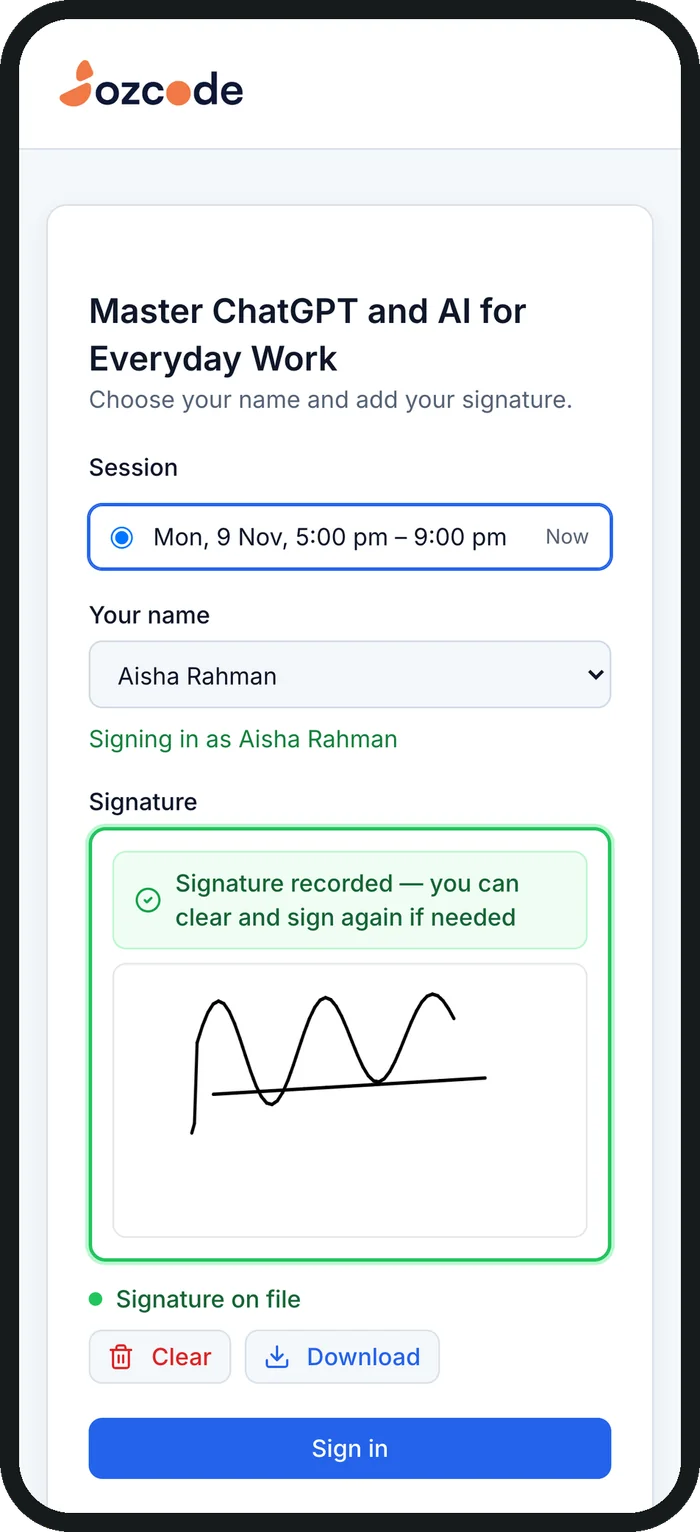
Trainers show a QR code on the classroom screen. Learners scan it, choose their name and sign with a finger. There is no app to install and no login.
 1 The trainer shows the code
06Documents & certificates
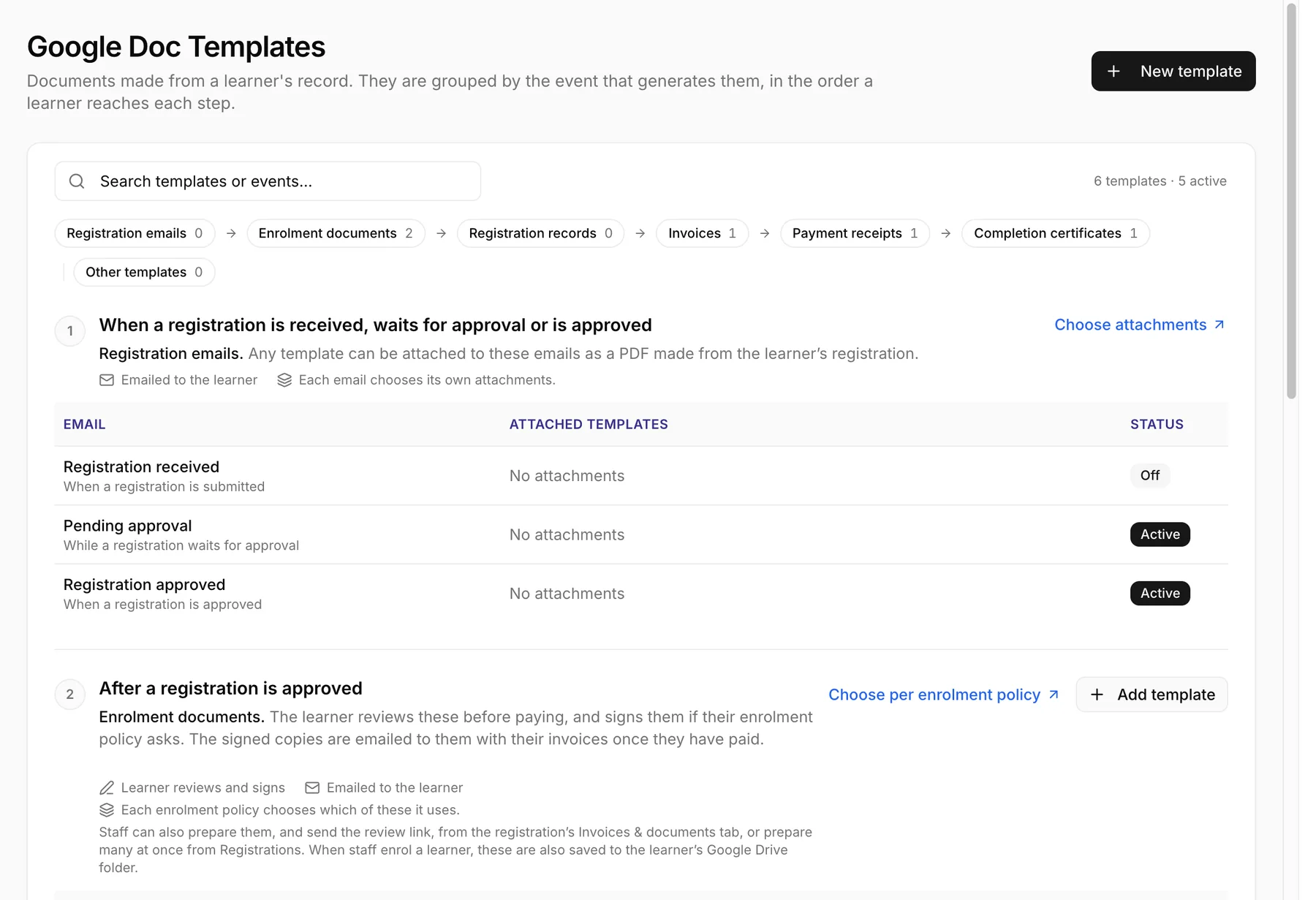
Design agreements, invoices, receipts and certificates in your own Google Docs. Edthos fills in the learner, course and payment details and creates each document at the right moment.
Admin & compliance
Reporting and compliance happen in the same TMS as the day-to-day work, so the records are already there when you need them.
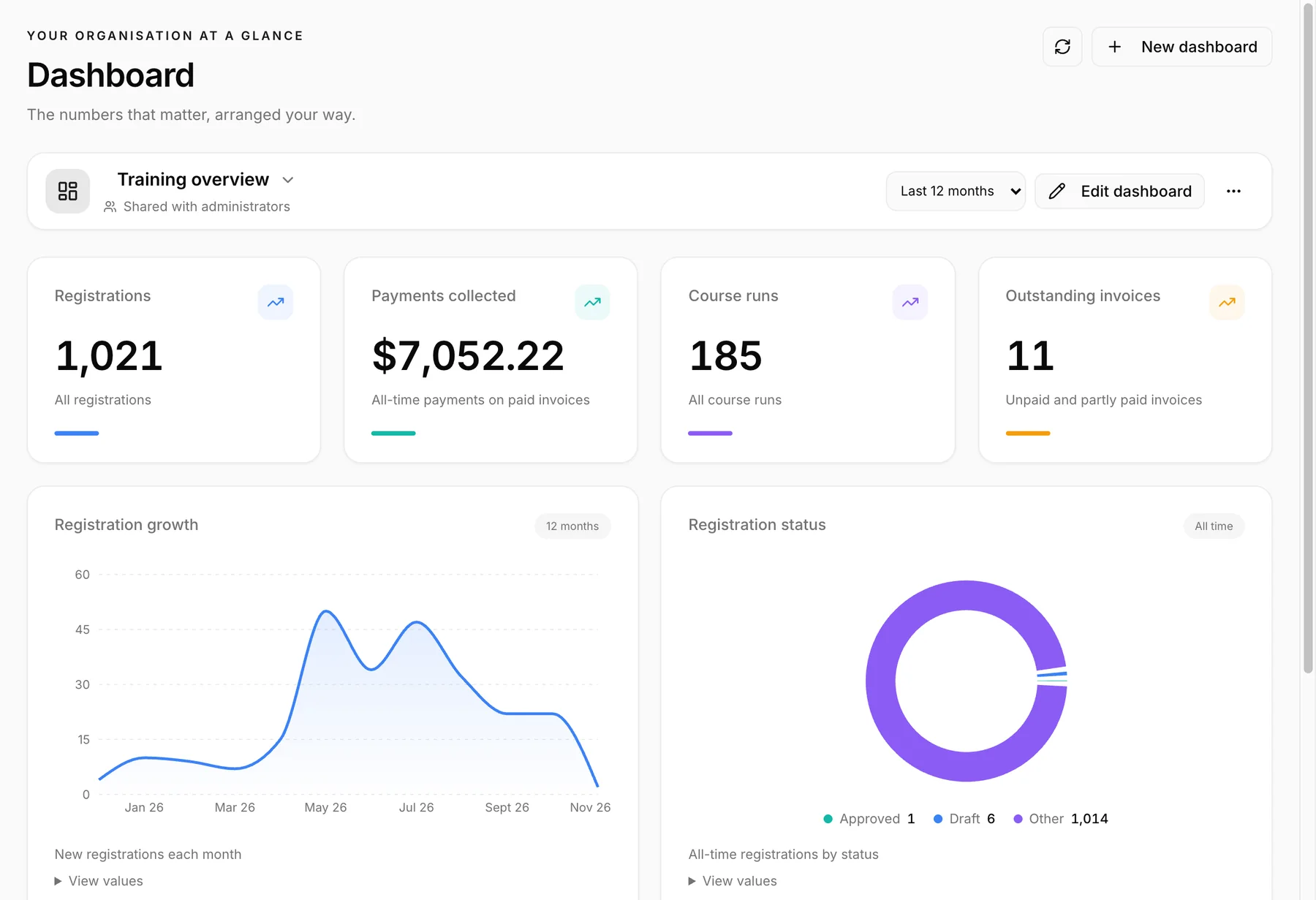
Build shared dashboards for registrations, payments, classes and results.
Every change is recorded, so you can see who did what, and when.
Connects to SkillsFuture’s TPGateway for course runs, enrolments, attendance and results.
Withdrawing a learner settles their invoices, credit notes and refunds in one step.
AIAdmin AI agent · Beta
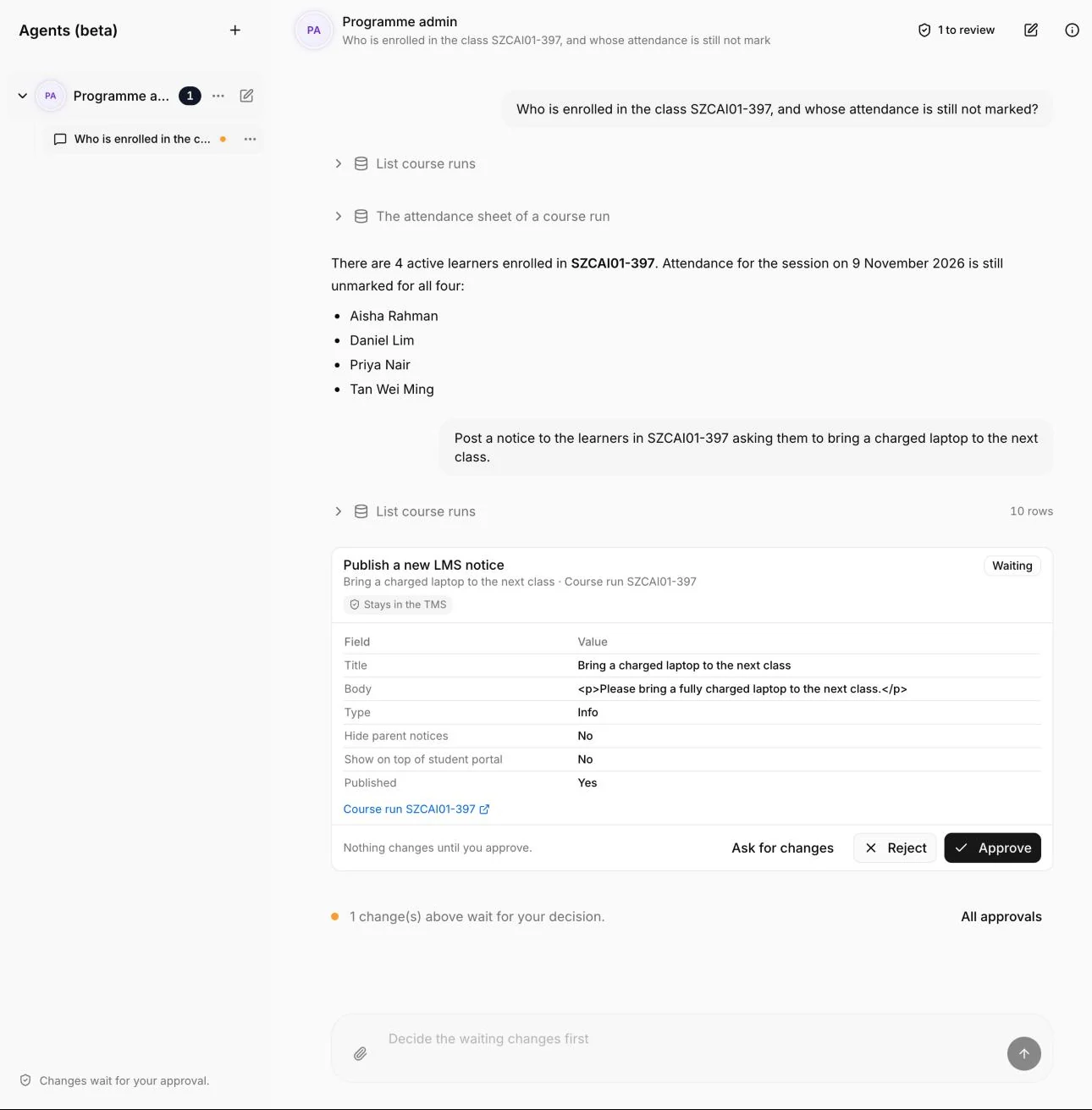
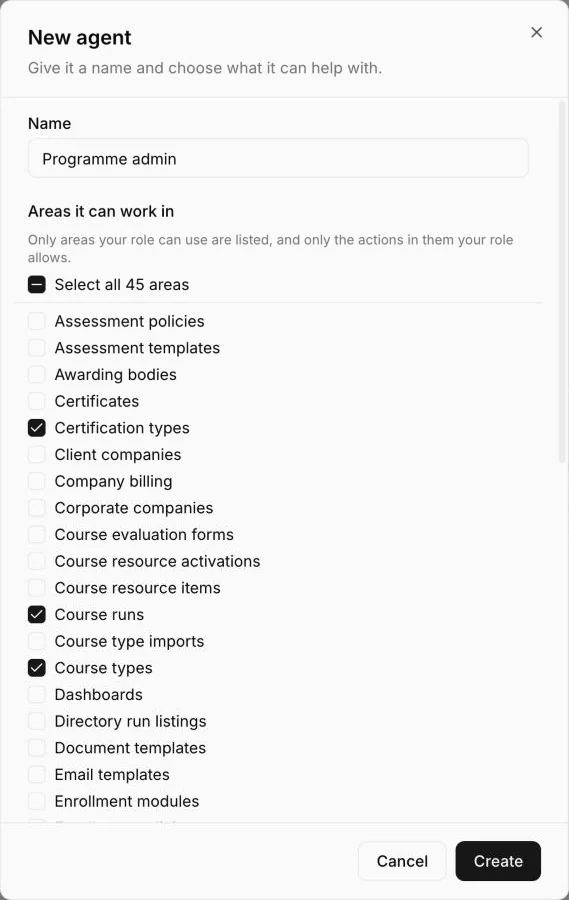
An AI agent built into your TMS. It works within each staff member’s own permissions, it is in beta, and your team stays in charge of every change.
“Create these course types. They are all $170 and 16 hours.”
In plain English, or attach a list, a spreadsheet or a screenshot.
The agent reads your records and lists each change as a step: course types, classes, form questions and more.
Nothing changes until you approve. A step you reject is never applied.
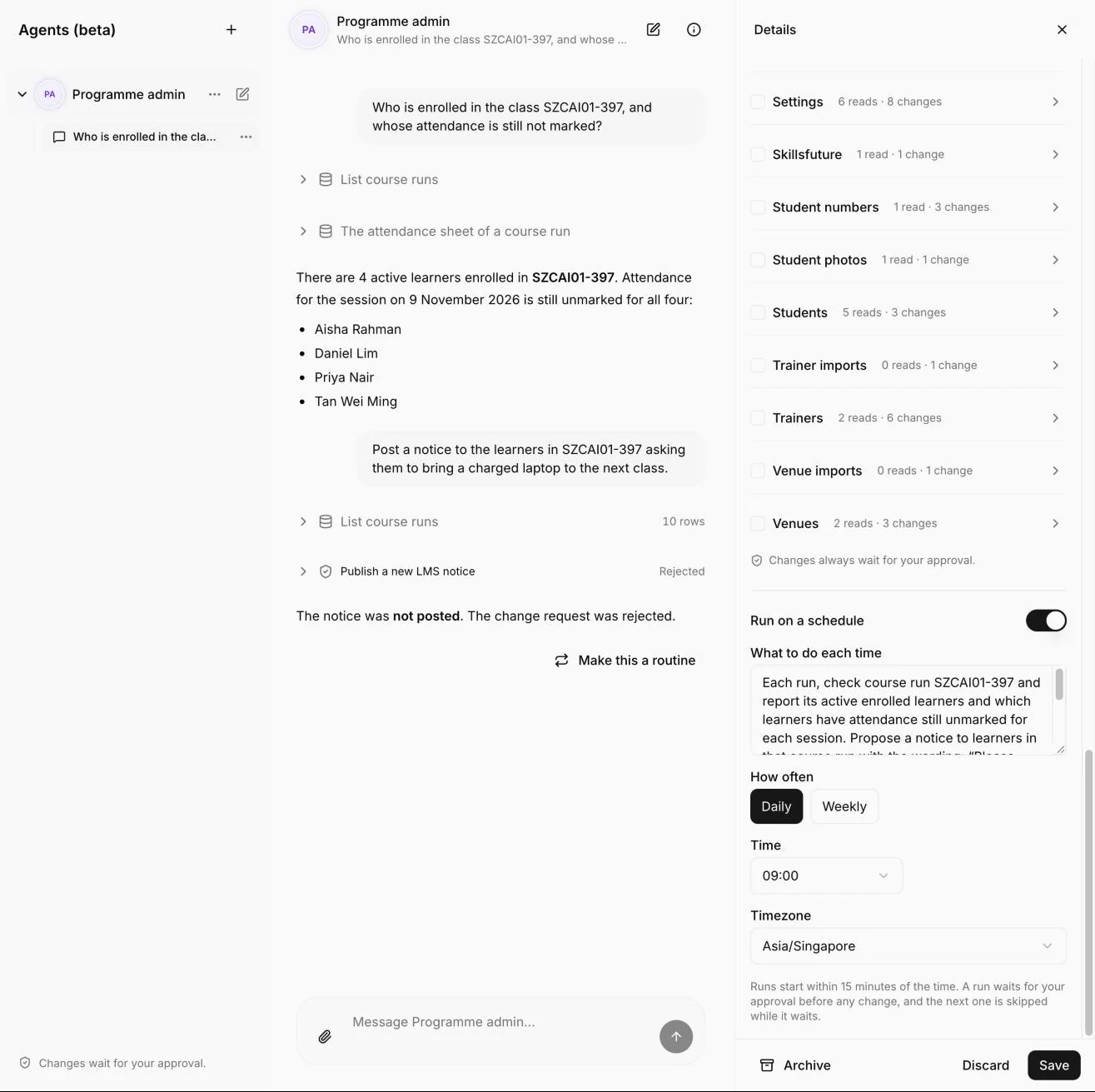
Turn a conversation into a routine that runs daily or weekly.
TMS security
Each school has its own database and file storage. Nothing is shared between schools.
Ready-made roles for admins, academic directors, assessors, trainers and finance, plus your own.
On every page, in every request and in the database itself, with row-level security.
Documents sit behind expiring links, and NRIC numbers are masked.
Edthos never stores card details for any of our customers.
Data is backed up every day. A firewall filters malicious traffic, and sign-in is rate-limited.
Who runs on the Edthos TMS
Edthos Core for training providers: SkillsFuture and corporate enrolment, ERF programmes, CPD and adult education.
Edthos for special education: school management on the web and in native iOS and Android apps.


Saint Clare School· Education
A learning management system shaped around special education: individual plans, AI-assisted teaching preparation and reusable curriculum knowledge, with a companion app that carries student information into everyday communication with families.


Edusphere· Training & education
From the first enrolment file to course delivery and completion, Edusphere brings training operations into one workspace—with an AI agent to help staff turn incoming information into records they can review and use.
See Edthos working with your own courses and programmes.
Full access, with no credit card required.
We move your past learners and records across for you.
Questions
A training management system (TMS) runs the administration behind courses and programmes: applications, enrolment, payments, class schedules, attendance, assessments and certificates. Edthos is a TMS built for training providers and schools in Singapore.
Both. Staff run training administration in the Edthos TMS, and learners use its learner portal for what a learning management system (LMS) usually covers: class schedules, course materials, notices and results.
Yes. Edthos connects to SkillsFuture’s TPGateway for course runs, enrolments, attendance and assessment results, and learners can pay with SkillsFuture Credit. It also supports ERF, CPD and corporate-sponsored programmes.
Yes. Learners apply on your own branded pages, and emails are sent from your school’s Google or Microsoft mailbox, so replies come straight to you.
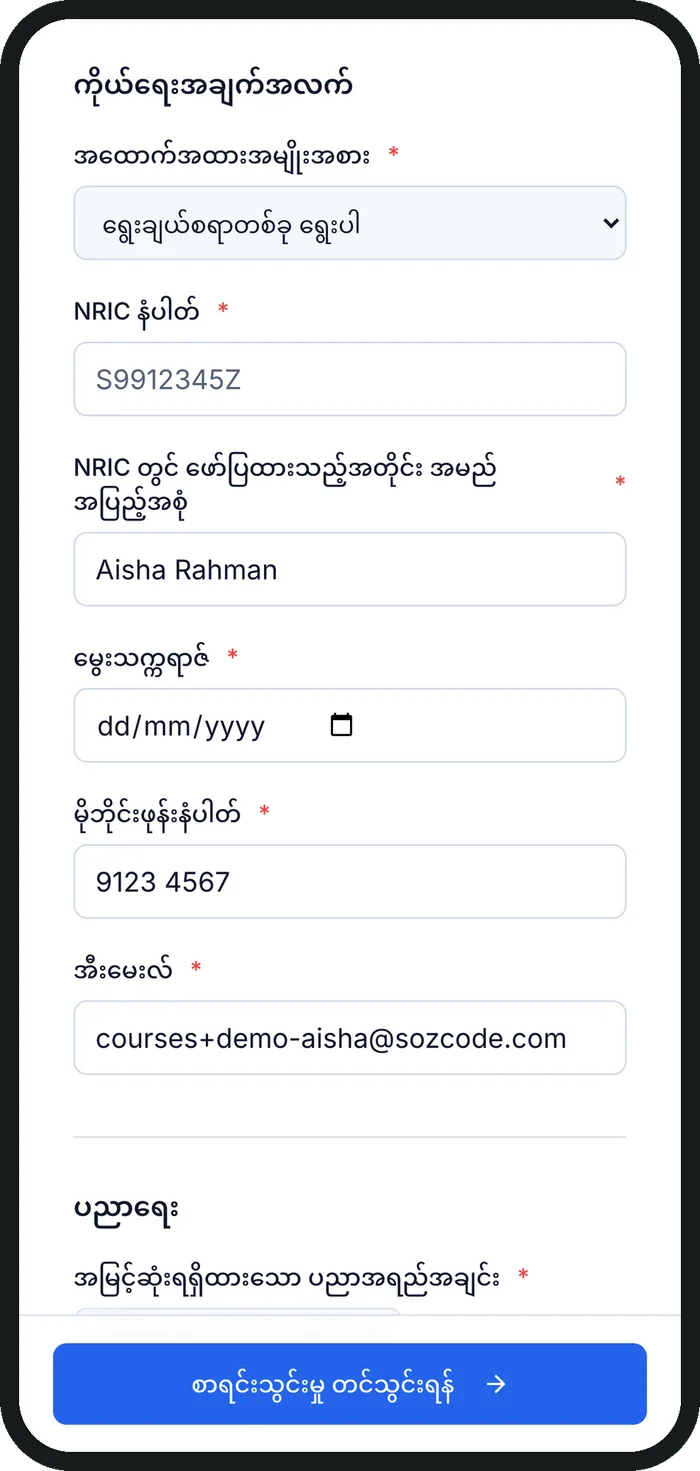
Application forms can be offered in English, Chinese, Burmese, Malay, Tamil, Indonesian and Vietnamese. AI drafts the translations and your team checks them. The staff app and the learner portal are available in English and Chinese.
Yes. We move your past learners and records into Edthos as part of onboarding, so you start with your history in place.
Edthos is a monthly subscription per licensed user. It includes the full platform, new features as they are released, onboarding guidance and standard support. Contact us for a quote for your team.
Yes. We offer a 30-day trial with full access and no credit card required, and a demo using your own courses and programmes.
